| Updated: 8 June, 2023 |
|
|
 |
Getting Started
1. Introduction2. Switching to GNU/Linux
3. Getting openSUSE
4. Installation
The Fundamentals
5. KDE Plasma Workspace6. Apps for Common Tasks
7. Security and Root
8. Terminal
9. Admin. Settings (YaST)
10. Installing Software
11. Software Repositories
Setup
12. MS Windows Interop13. Multimedia Codecs
14. Graphics Drivers
15. Wifi
Appendix
A: Help and DocsB: Games
C. Under the Hood
D. History and Background
E: Getting Involved
GNU Free Documentation License
9. Administrator Settings (YaST)
YaST (Yet another Setup Tool) is the central tool for system administration. You find YaST in the launch menu in the System category.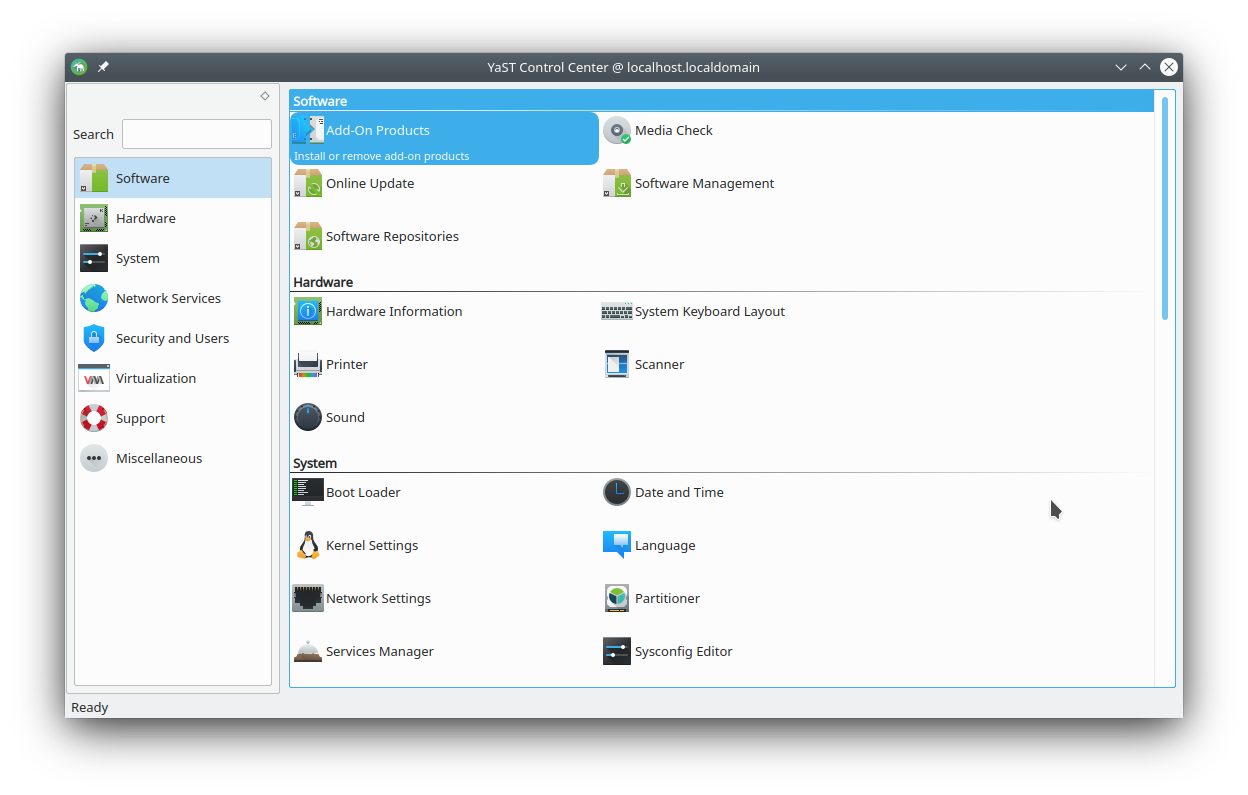
Default YaST modules
In YaST you can perform almost any system task, with powerful graphical modules, e.g.:
- Install and remove software (see next chapter)
- Set up your printer
- Configure the firewall
- Enable and disable system services
- Configure network sharing (samba)
- Format and partition your drives
- Enable NTP daemon
- And much, much more...
A lot more YaST modules are available than the ones included in the default installation (read about installing packages in the next chapter). Some notable modules not installed by default are:
- Apache web server (package: yast2-http-server)
- SSH daemon (package: yast2-sshd)
- FTP server (package: yast2-ftp-server)
- NFS server (package: yast2-nfs-server)
- And many more...
 |
You don't have to use YaST if you don't want to. You can achieve the same things and more using command line tools and manually editing configuration files. |
9.1 YaST in the Terminal
The YaST modules can also be used in a terminal (ncurses mode) - this is very useful for servers with no graphical environment running, for remote access via SSH, or in case your graphical environment fails.Simply run yast as root in a terminal.
yast
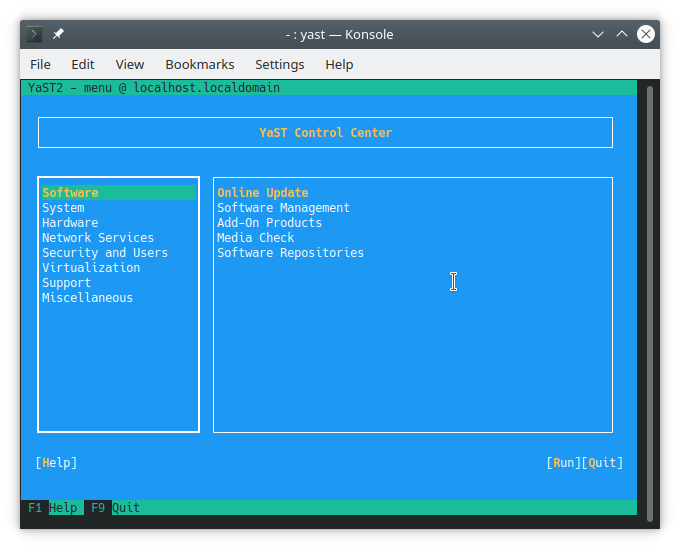
Navigate using arrow keys, Enter and Alt+[highlighted letters] (e.g. Alt+Q to quit).
 |
 |
Send your comments via e-mail to admin [at] opensuse-guide.org